 happiergym
New in happiergym
Drop sets
Finish an exercise with drops: same set, less weight, no rest, until you cannot.
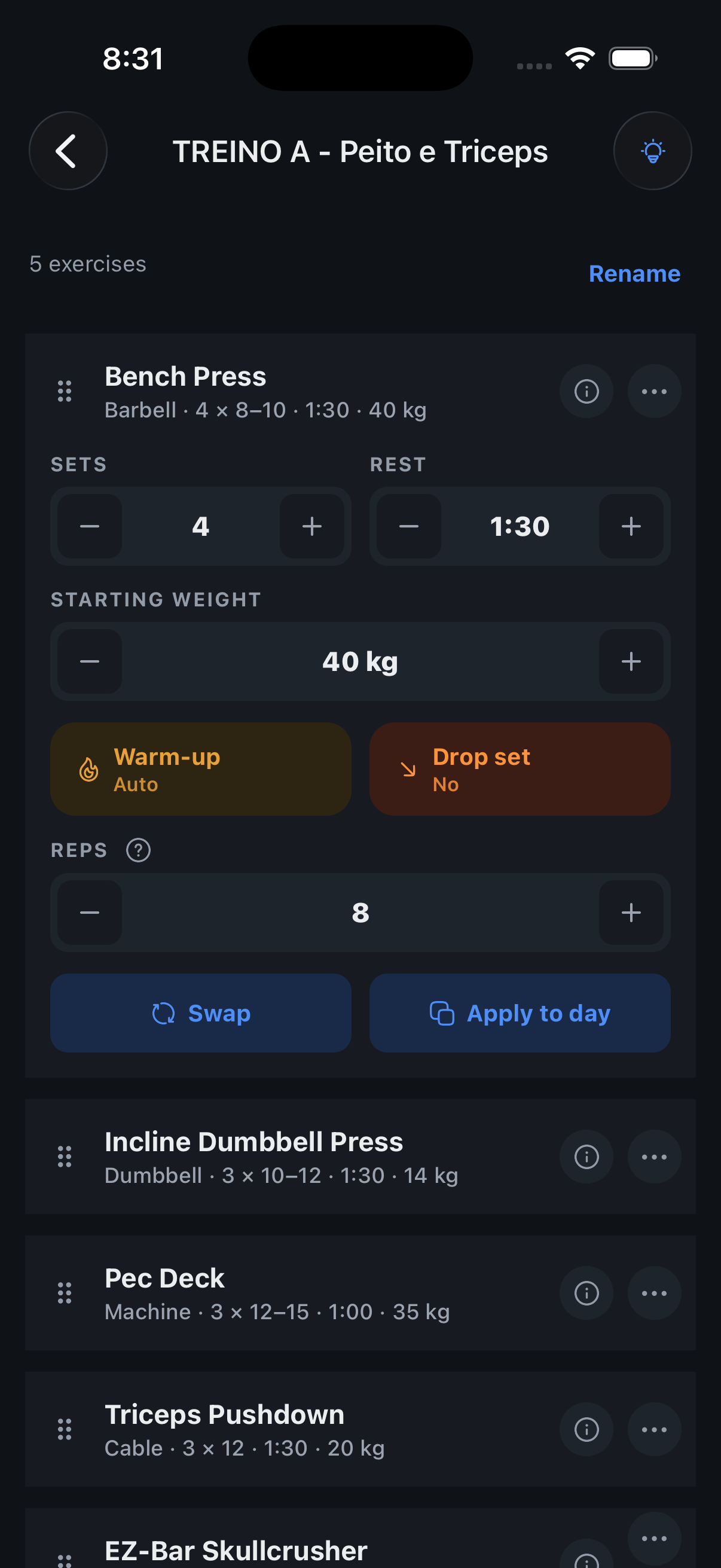 Tap Drop set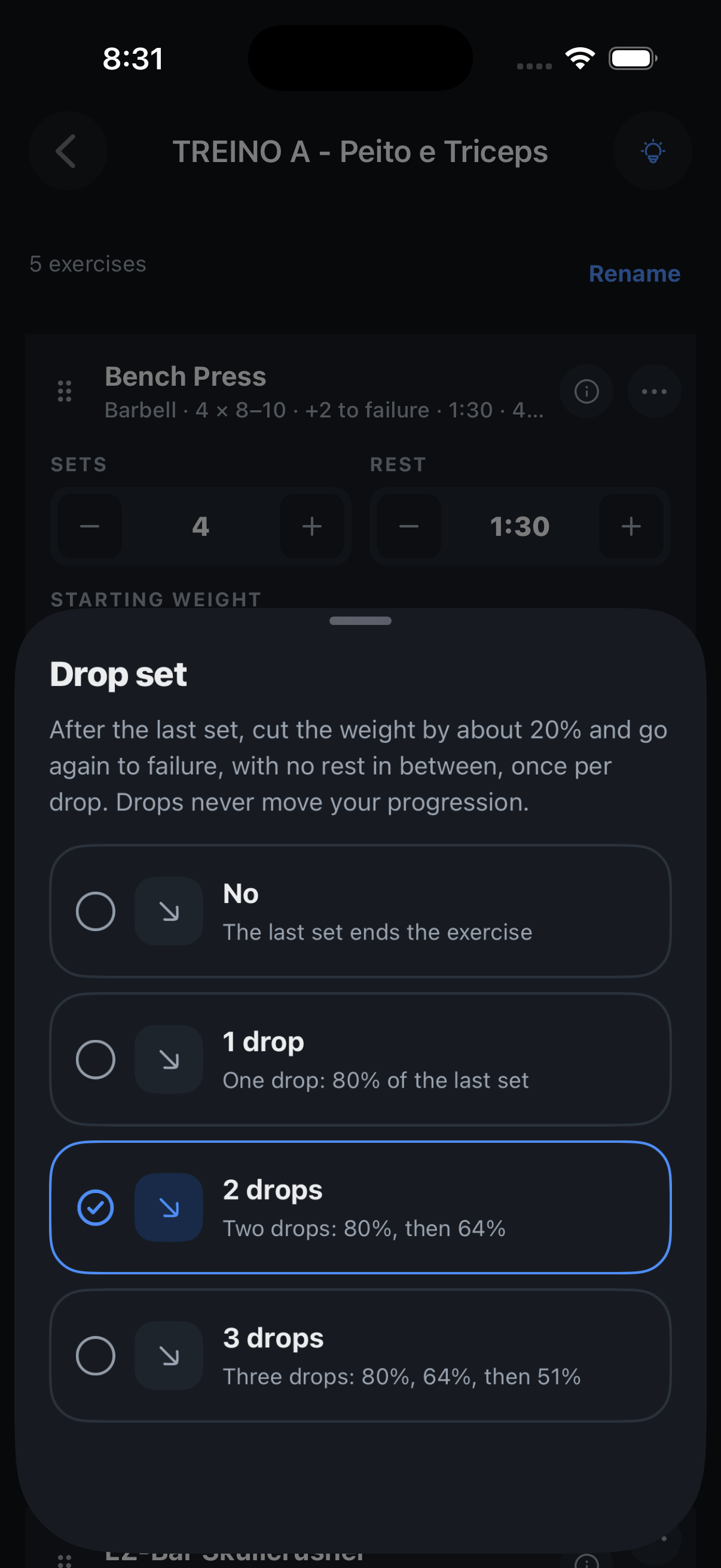
Screenshots use fictional demo data.
- Plan it: In the routine editor, each exercise has a Drop set switch with 1 to 3 drops. The last set gets them.
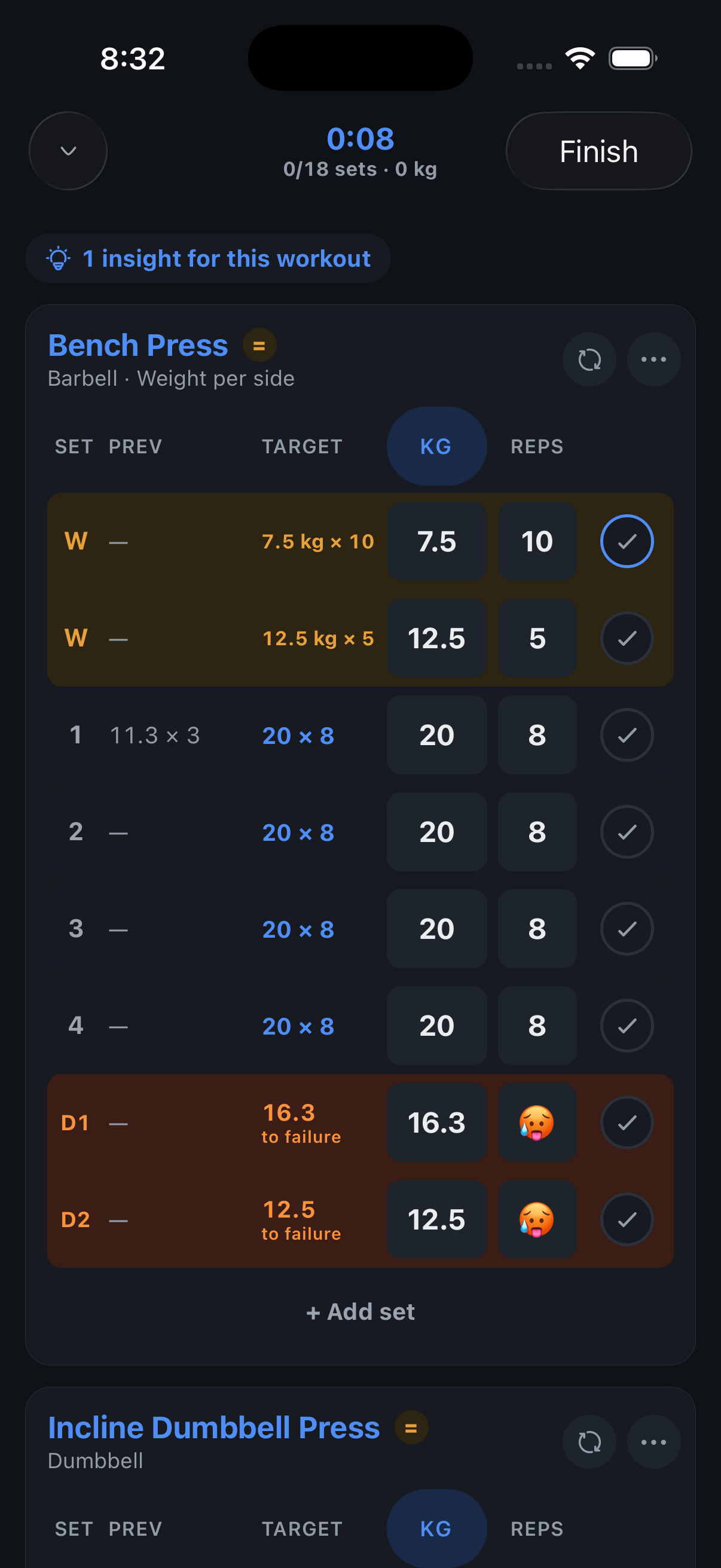
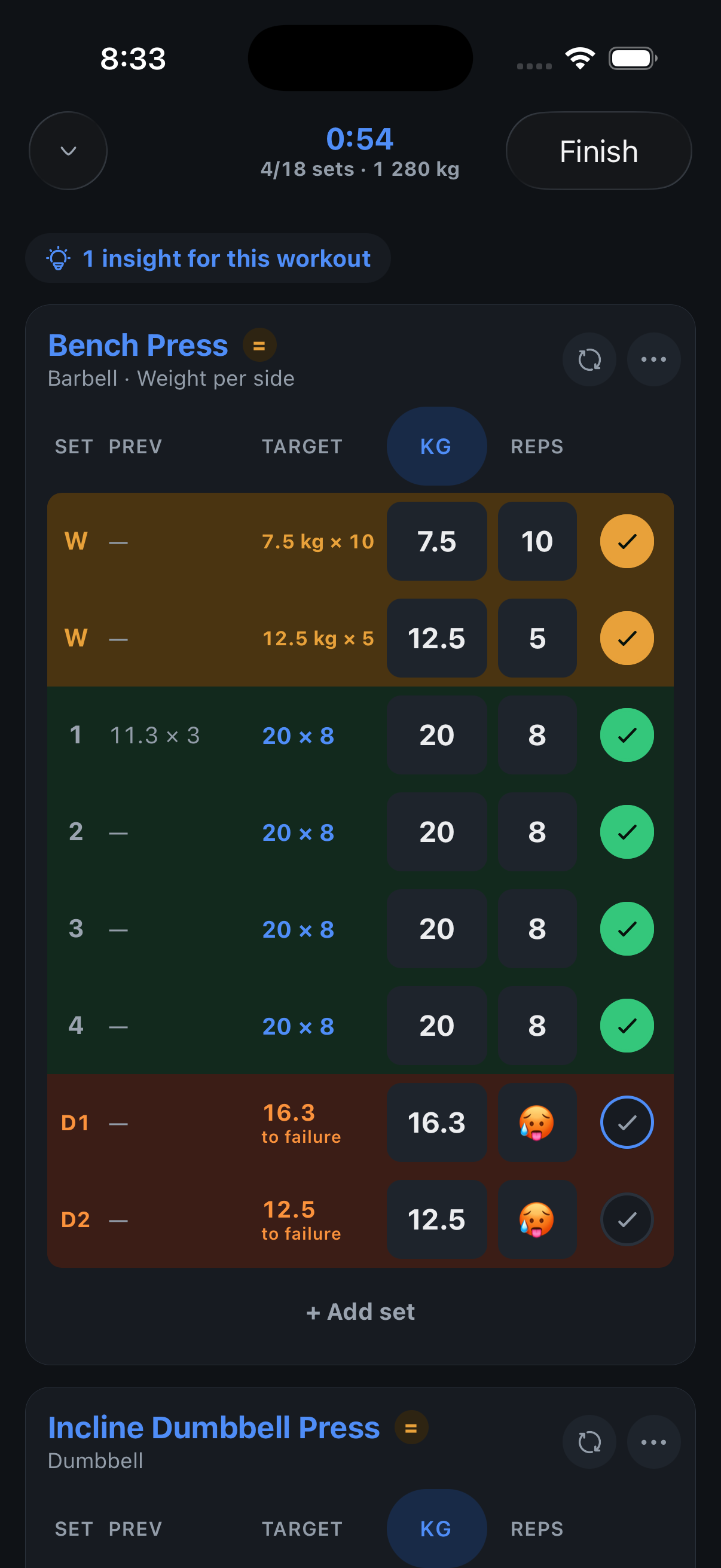
- See it: The session shows each drop as D1, D2 under the set it belongs to, with the weight already cut by 20% and rounded to what the bar takes, and “to failure” where the reps would be. Edit the weight if the rack says otherwise.
- No rest between: Finishing the set jumps straight to its drop. Rest starts after the last one.
- Progression stays honest: A drop is to failure, so there is nothing to count and your coach never reads it when deciding next session’s weight.
- Mid-session too: The exercise menu adds a drop set to any exercise; swipe a drop away like a warm-up. The end-of-workout sheet offers to keep the change.
Where to find it: Routines tab, open a day, expand an exercise, Drop set. Needs the newest TestFlight version.