 happiergym
New in happiergym
Recent training on your profile
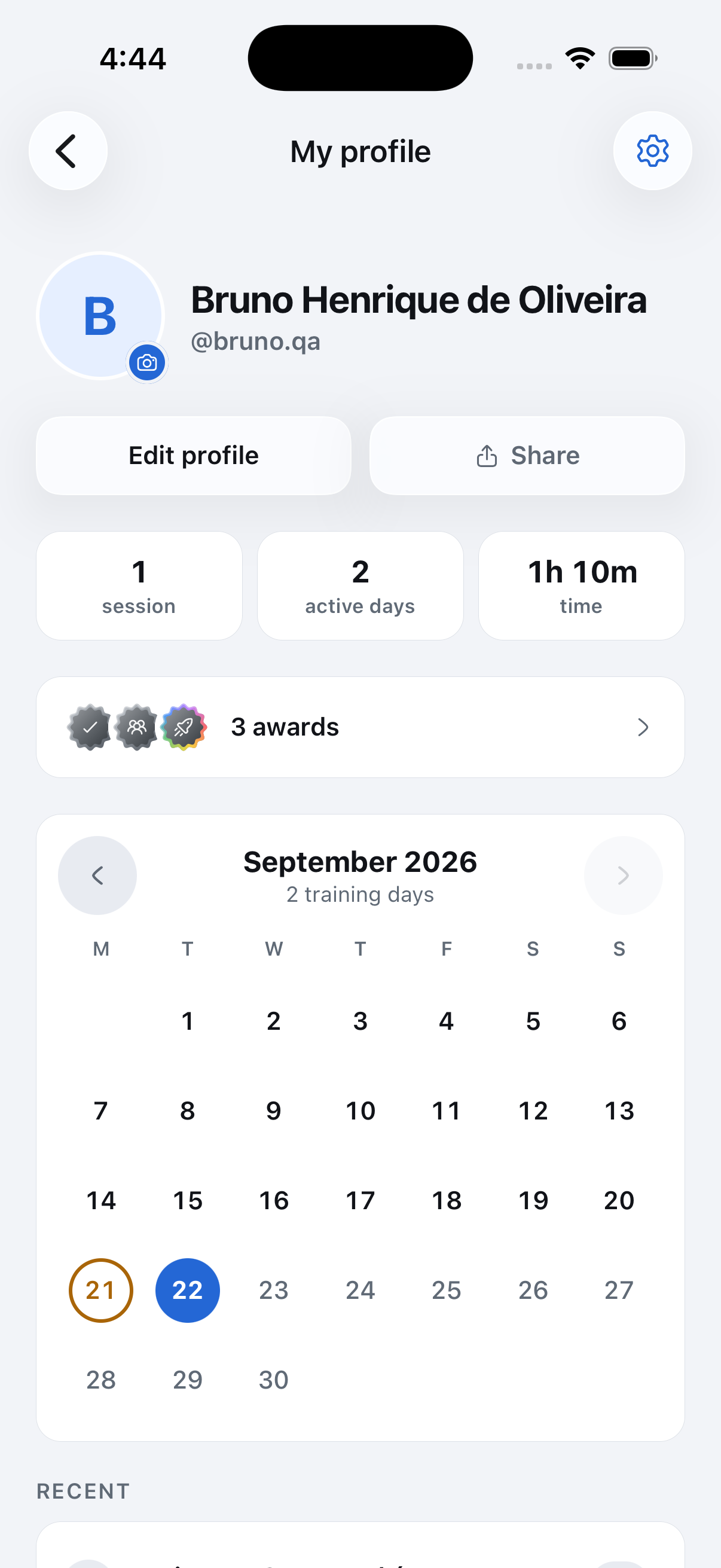
Your name sits beside your picture, with the calendar above recent activity.
Screenshots use fictional demo data.
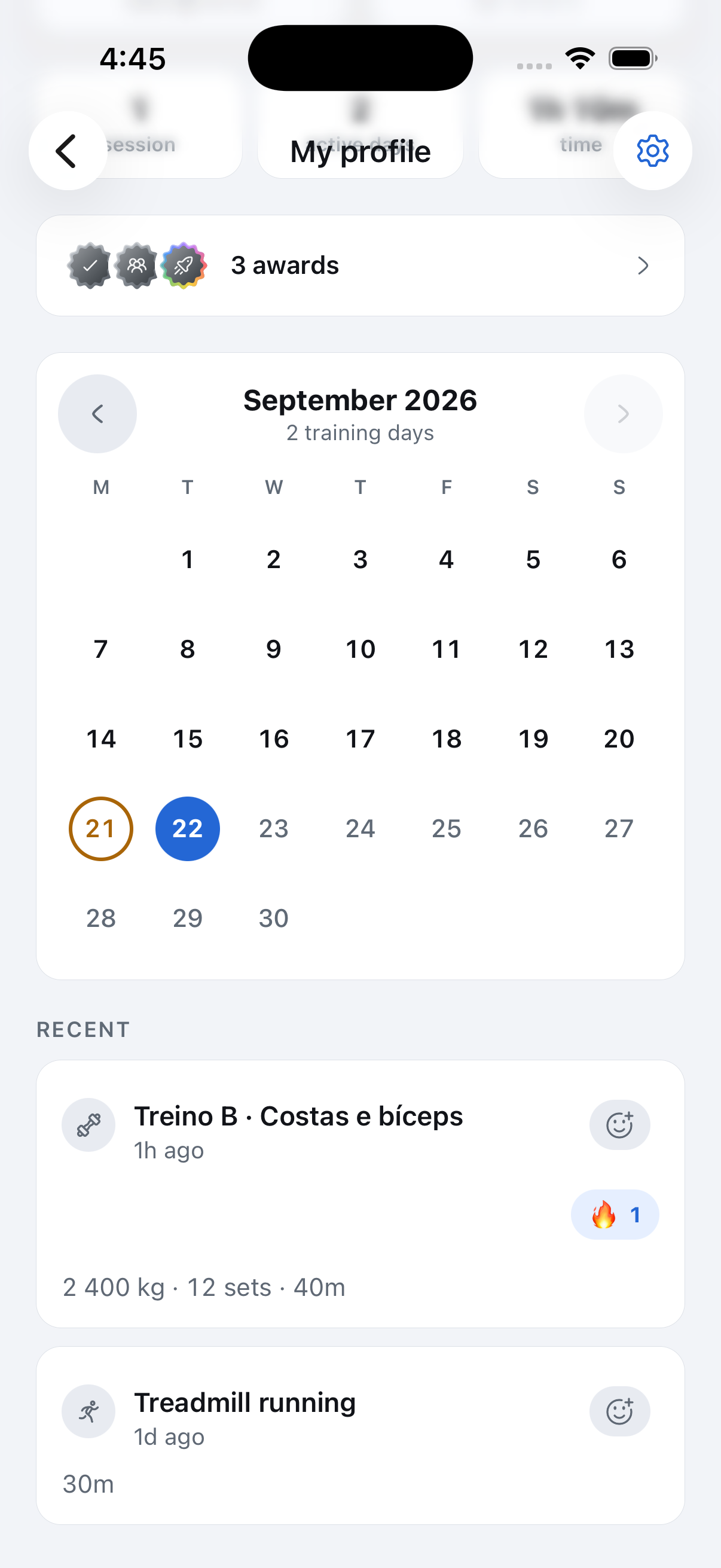
- See the latest activity: Your profile shows five recent items. Open a session to see its details.
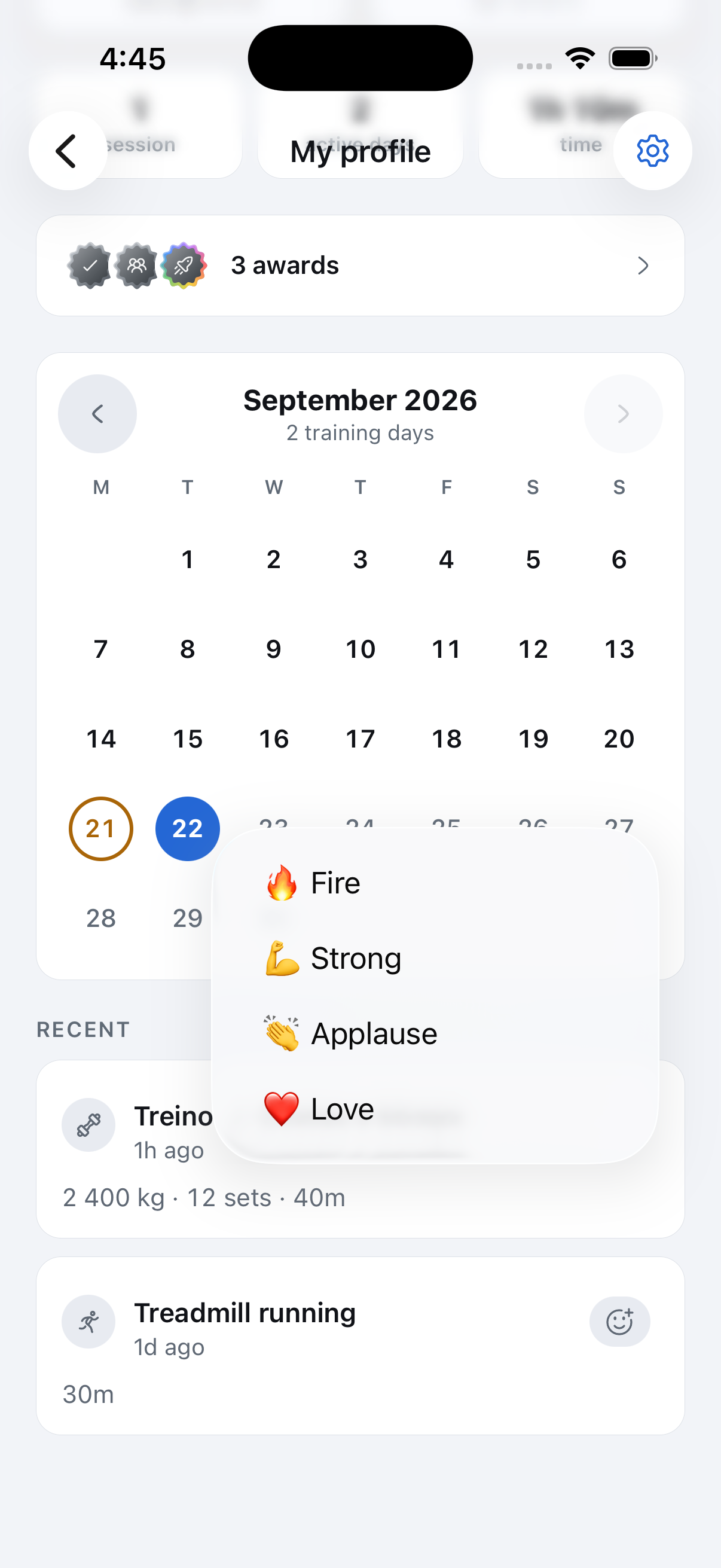
- React without the clutter: A reaction icon beside each title opens the emoji dropdown. The icon and title align at the top, with the time below. Choosing a reaction drops that emoji across the screen. Existing reactions stay visible with counts, and yours is highlighted.
- Edit and share: Profile buttons match the rounded cards and use Liquid Glass on supported iPhones.
- Open your achievements: Overlapping medals and the total sit together in one compact row.
- Browse the month: The full calendar sits above recent activity and still lets you move between months.
- Read simpler cards: Activity cards on a profile show the workout or achievement without repeating the person’s name and picture.
Fixed
- The calendar keeps all seven days in each week, with Sundays in the correct column.
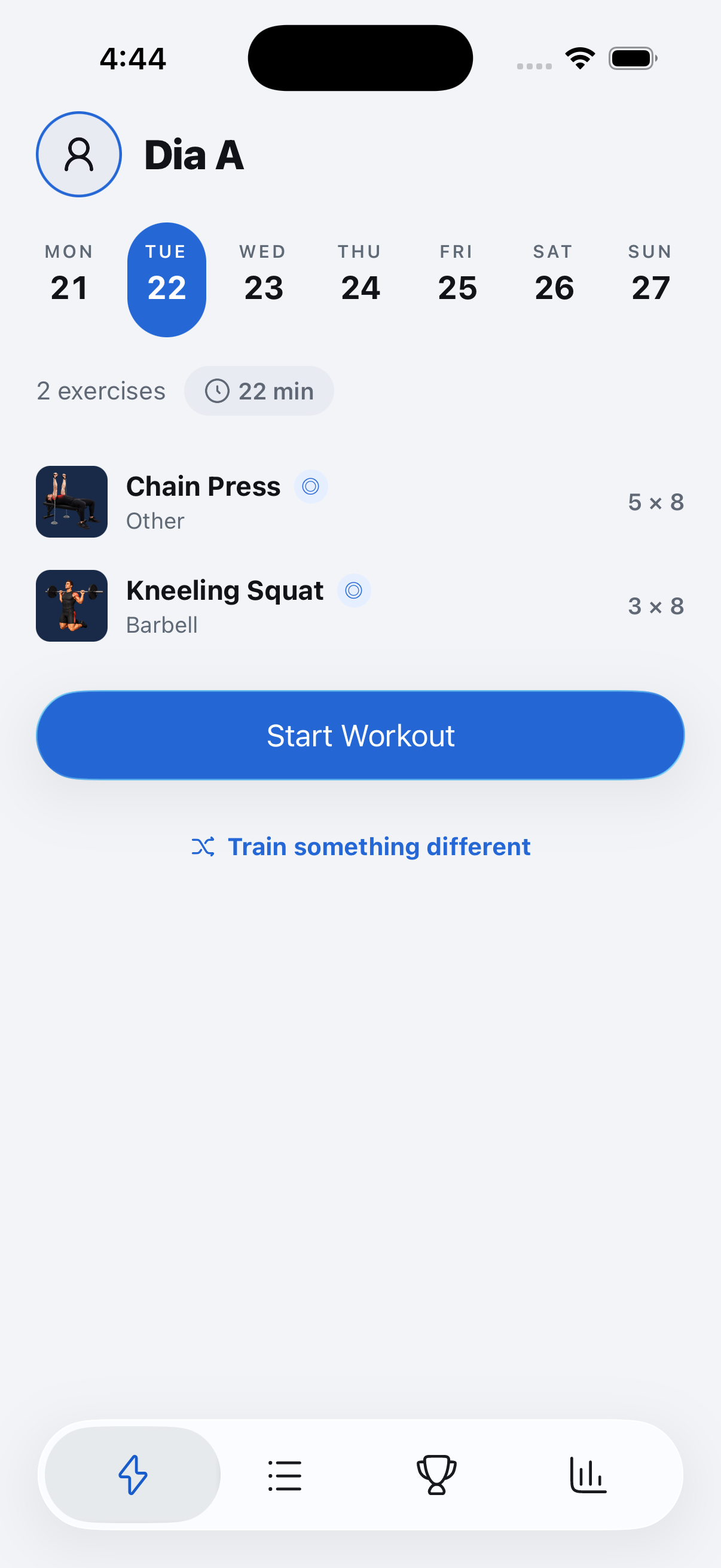
Where to find it: Tap your picture in the top-left corner of Today to open your profile.